Tuesday, August 11, 2015
Video Samsung Galaxy S3 mini I8190 Restore Factory Hard Reset Remove Pattern Lock
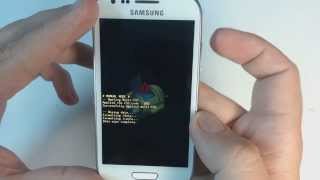
If you forgot your screen lock combination or password follow these steps.Warning! All data will be lost!1.Press together volume up + home button + power button2.Release your fingers of the phone when Samsung logo appear3.Choose with volume buutons "wipe data/factory reset" and select it with power button4.Choose "yes" with volume buttons and select it with power button5.Wait untiil format is complete6.Select "reboot"
Samsung Galaxy S3 mini I8190 Restore Factory Hard Reset Format Phone.So lets start the Samsung Galaxy S3 mini I8190 Restore Factory, Samsung Galaxy S3 mini I8190 Hard Reset.Turn Off the mobile phone for few mints.Samsung Galaxy S3 mini I8190 Remove Pattern Lock.
Samsung Galaxy S3 mini I8190 Restore Factory Hard Reset Format Phone.So lets start the Samsung Galaxy S3 mini I8190 Restore Factory, Samsung Galaxy S3 mini I8190 Hard Reset.Turn Off the mobile phone for few mints.Samsung Galaxy S3 mini I8190 Remove Pattern Lock.

Subscribe to:
Post Comments (Atom)
No comments:
Post a Comment